A MindMeister alternative for mapping on your own, offline
MindMeister is built for teams that map together online. If you mostly brainstorm and plan by yourself on a phone or tablet, you may not need an account, the cloud or per-user pricing at all.
MindMeister vs Smart Mind at a glance
| MindMeister | Smart Mind | |
|---|---|---|
| Runs on | Web, with apps for iOS and Android | iPhone, iPad and Android apps — no web version |
| Free plan | 3 mind maps, unlimited collaborators, 500 AI credits a month | 5 maps with unlimited topics, all 8 layouts, outline view, templates, 3 themes, a small AI allowance |
| Paid plans | Personal, Pro and Business, priced per user per month, billed every 6 or 12 months | Pro: monthly, yearly or a one-time lifetime purchase; one price, not per user |
| Account | Sign-up required | None. No sign-up, no email |
| Where maps live | Online, in your MindMeister account | On your device only. Never uploaded |
| Collaboration | Yes — the core of the product, from the free plan up | None. Smart Mind is for one person |
| AI | Meister AI: generating a map uses 100 of your monthly credits | Generate a map from a sentence and expand a topic, with an allowance |
| File export | Personal plan and above | Image and text outline free; PDF, HTML, Markdown and OPML with Pro |
MindMeister details checked on 12 November 2026 from mindmeister.com/pricing. Prices and plans change; check their site before you buy. Smart Mind details: Free and Pro.
Stay with MindMeister if…
- you build maps together with classmates or a team, in real time
- you work in a browser on a computer
- you use MeisterTask, Microsoft Teams or Google Workspace and want them connected
Pick Smart Mind if…
- you map alone and the free plan’s 3 maps feel tight
- you don’t want an account or your notes on someone else’s server
- you need to work offline
- you’d rather pay once (lifetime) than per user every month
Moving your maps from MindMeister
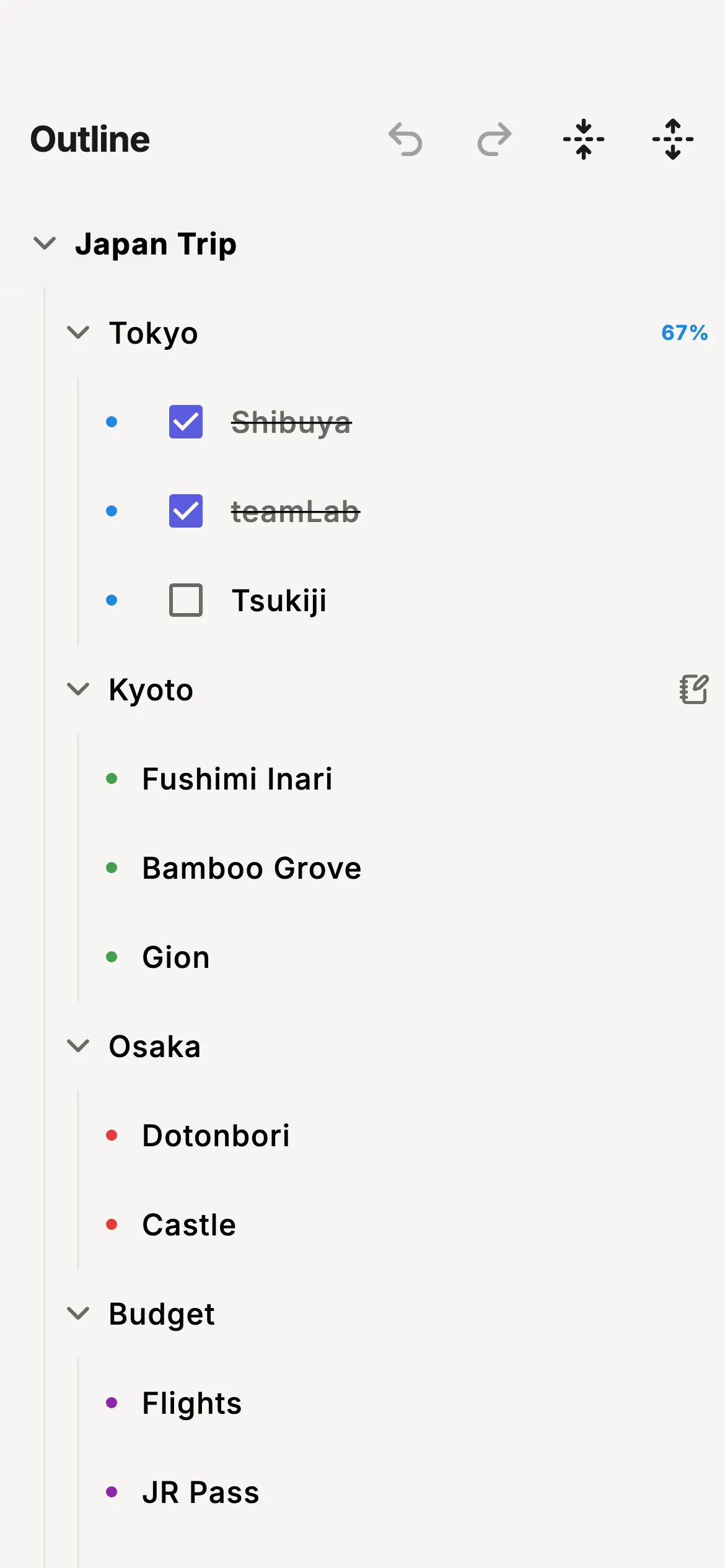
File export in MindMeister needs a paid plan (Personal or above). If you can export the map as OPML or a text outline, paste it into Import → Paste an outline in Smart Mind.
Importing is free in Smart Mind, including on the free version, and works past the five-map limit. OPML carries the topic tree and notes, not colours or layout, so expect to pick a theme again.Step-by-step import guide.
MindMeister alternative: questions
What is a good MindMeister alternative that works offline?
Smart Mind stores every map on your iPhone, iPad or Android device and works without a connection. Only the optional AI needs the internet.
Is there a MindMeister alternative without an account?
Yes. Smart Mind has no account at all: install it and start a map. Pro is tied to your App Store or Google Play account, so Smart Mind never learns who you are. Privacy details.
Can I collaborate on maps in Smart Mind?
No. If several people edit the same map, MindMeister is the better tool. Smart Mind can share a map as an image, PDF or outline, but there is no shared editing.
How do I move my maps from MindMeister?
File export in MindMeister needs a paid plan. If you can export the map as OPML or a text outline, paste it into Import → Paste an outline in Smart Mind; each indent becomes a branch.
Also compared: XMind alternative · MindNode alternative ·free AI mind map generators
Try Smart Mind free
Five maps free, no account, no ads. iPhone, iPad and Android.