Turn one sentence into a mind map with AI
Describe what you are thinking about and Smart Mind builds a structured mind map in seconds — then gets out of the way so you can finish it by hand.
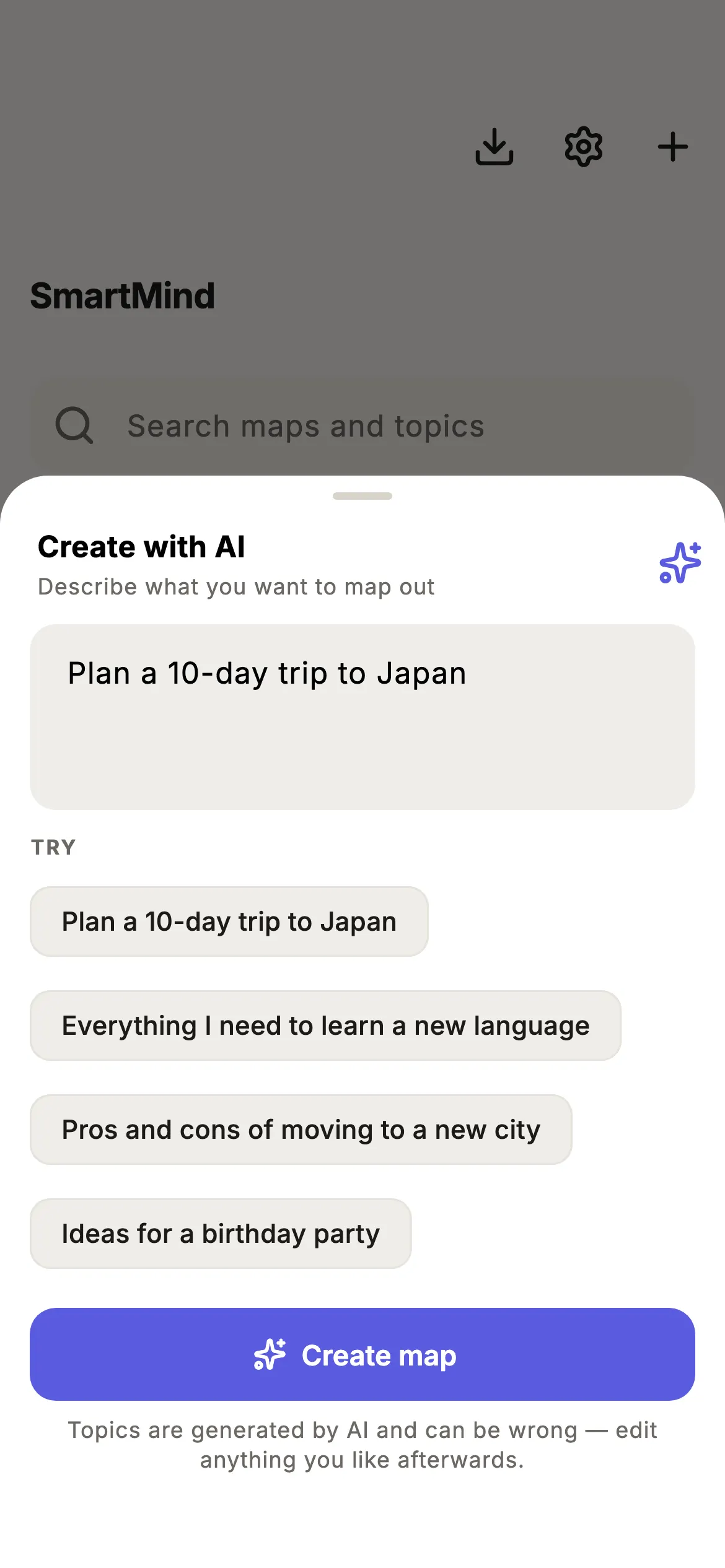
How it works
- 1
Describe it
Tap Create with AI and type one sentence about what you want to map.
- 2
Get a map
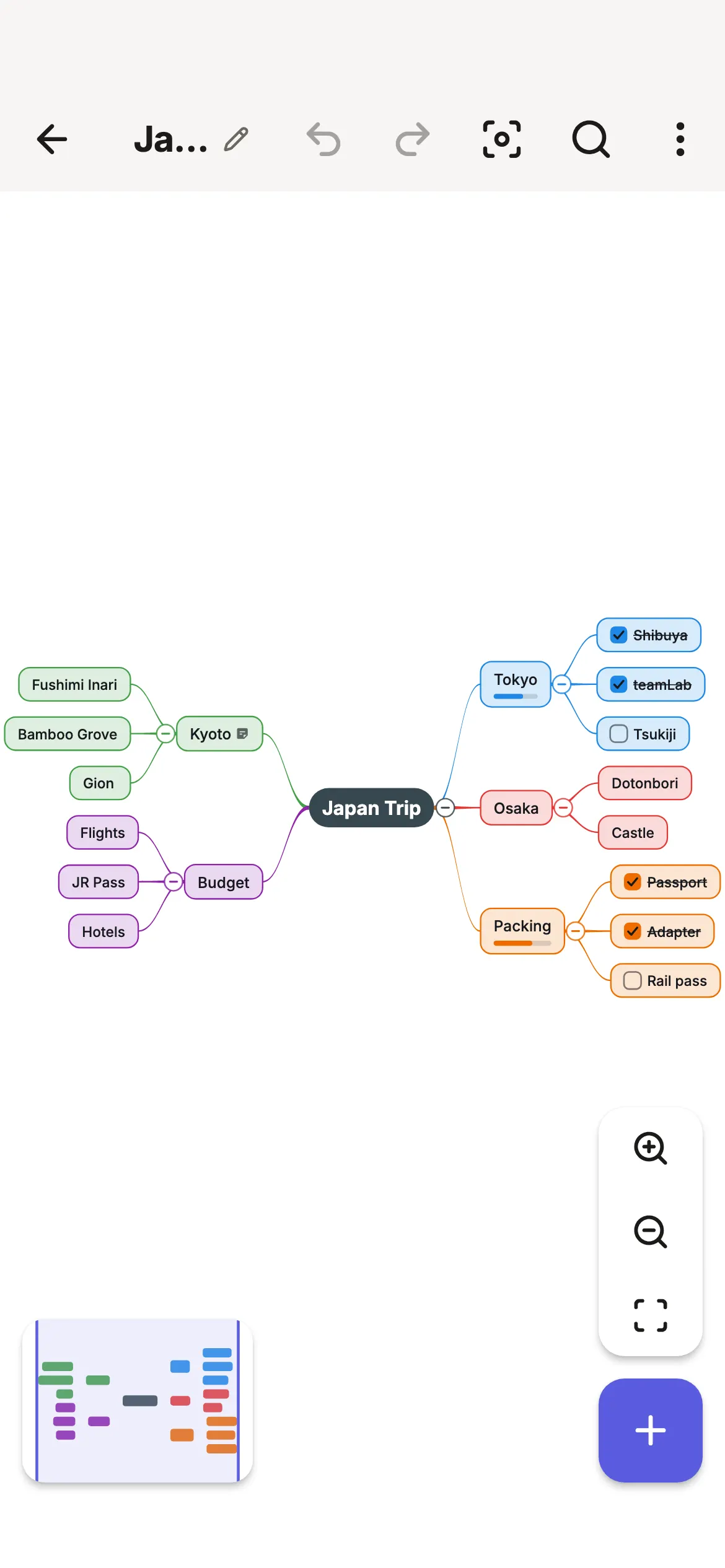
Smart Mind builds a structured map with main branches and sub-topics.
- 3
Expand a branch
Select any topic and tap Expand to add up to five sub-topics. One undo removes them.
- 4
Make it yours
Edit by hand, add notes and checkboxes, change the layout, export or present.
AI that starts the map, not one that owns it
Many AI mind map tools hand you a finished diagram and stop there. Smart Mind treats the AI result as a first draft: every topic is plain, editable text, there is no “AI” badge on anything, and the whole result is a single undo. It never picks your colours or layout, and it never rewrites what you typed.
It is also deliberately small. There are two actions — generate a map from a sentence and expand a topic into sub-topics — and everything else in the app works offline, with no account.
Example: a trip map started from “Plan a 10-day trip to Japan” and finished by hand
Prompts to try
Study
“Revision map for the causes of World War I” · “Key ideas of photosynthesis”
Work
“Launch plan for a small online shop” · “Agenda for a quarterly team review”
Life
“Pros and cons of moving to a new city” · “Ideas for a birthday party”
Prefer to start from a proven structure? See the mind map templates.
AI mind map FAQ
Is the AI mind map generator free?
You can try both AI actions — generate and expand — on the free version. Smart Mind Pro raises the allowance to a level meant for everyday use.
What does the AI send, and is my map uploaded?
Generating sends only your prompt. Expanding sends the topic you picked and enough of the surrounding map for the suggestions to fit. Your map is not uploaded, stored or used for anything else, and everything except AI works offline.
Can I edit an AI-generated mind map?
Completely. Generated topics are ordinary text with no AI badge or watermark. Rename, move, restyle, delete or undo anything, and export it like any other map.
What are good prompts for an AI mind map?
Be specific about the goal and the scope: “Plan a 10-day trip to Japan in spring”, “Revision map for the causes of World War I”, “Launch plan for a small online shop”. More prompt tips.
Does the AI choose colours or layout?
No. It only writes text. The map uses your default layout and theme, and you stay in charge of how it looks.
Try the AI mind map generator
Free to try on iPhone, iPad and Android. No account, no sign-up.